
Download DocuSign – Free Secure E‑Signature Tool for Business
Overview
DocuSign is a cloud‑based e‑signature platform that lets companies and individuals collect legally binding signatures without ever touching a piece of paper. In today’s fast‑paced digital environment, the ability to send, sign, and store contracts, purchase orders, and consent forms from any device is a competitive advantage. DocuSign’s free tier offers a limited but fully functional suite of tools, making it ideal for startups, freelancers, and small teams that need a secure way to capture signatures on the go.
The platform adheres to the highest security standards—encryption at rest and in transit, tamper‑evident audit trails, and compliance with regulations such as eIDAS, UETA, and ESIGN. Because the service stores every signed document in a centralized, searchable repository, businesses can quickly retrieve contracts for audits, dispute resolution, or performance analysis. While the free plan is time‑limited and some advanced features require a paid subscription, the core functionality—sending documents, adding signature fields, and tracking status—remains robust and reliable.
Whether you’re confirming receipt of an employee handbook, finalizing a sales agreement, or obtaining customer consent after product delivery, DocuSign streamlines the workflow, cuts down on manual processing time, and eliminates the logistical nightmare of printing, scanning, and mailing paperwork.
Key Features
- Unlimited Document Templates: Create reusable templates for recurring agreements, reducing setup time for each new transaction.
- Real‑Time Status Tracking: Monitor who has opened, signed, or declined a document with live notifications and a clear progress bar.
- Secure Cloud Storage: All signed files are stored in an encrypted vault, accessible anytime from a web portal or mobile app.
- Multi‑Device Compatibility: Works seamlessly on Windows, macOS, Android, and iOS, ensuring signatures can be captured from desktops, tablets, or smartphones.
- Audit Trail & Compliance: Every action is logged with timestamps, IP addresses, and authentication methods to meet legal standards.
- Custom Branding: Add your company logo and colors to the signing experience (available in paid plans).
- Bulk Send & Bulk Sign: Distribute the same document to many recipients at once, ideal for HR onboarding or mass consent requests.
- Integration Ecosystem: Connect DocuSign with popular CRM, ERP, and cloud storage platforms such as Salesforce, Microsoft 365, Google Workspace, and Dropbox.
- Advanced Authentication: Options for SMS passcodes, knowledge‑based authentication, and digital certificates to verify signer identity.
- Free API Access (Limited): Developers can embed e‑signature capabilities into their own apps using DocuSign’s REST API.
Installation, Usage & Compatibility
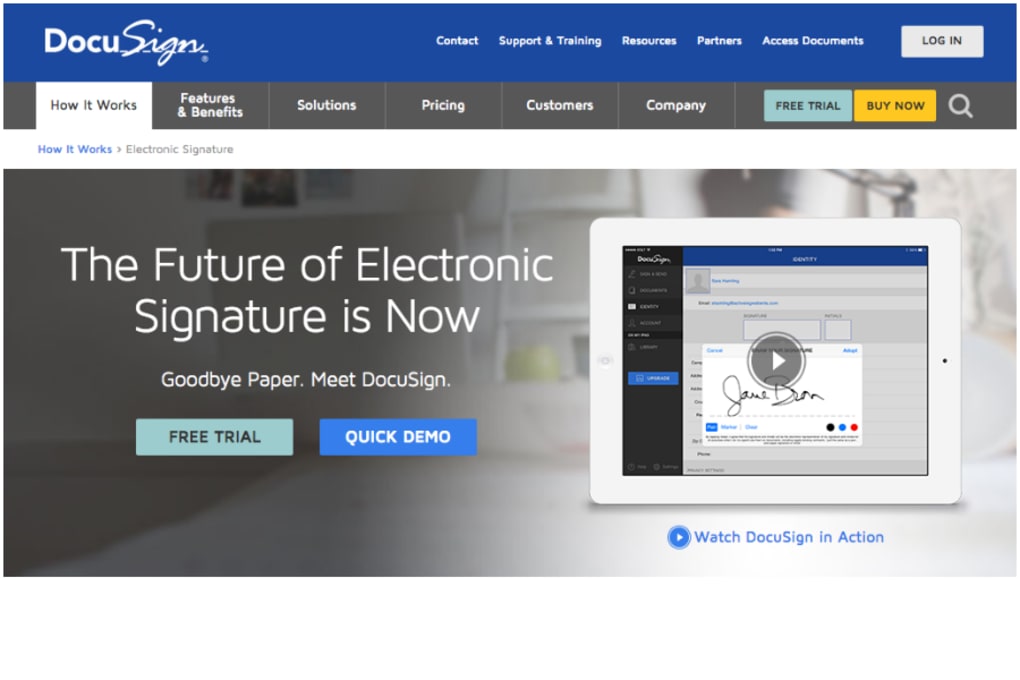
Getting started with DocuSign is straightforward. Visit the official website, click the “Free Trial” button, and create an account using your corporate email. No software download is required for the web version; simply log in through any modern browser. For users who prefer native applications, DocuSign offers desktop clients for Windows 10/11 and macOS, as well as mobile apps for Android 8+ and iOS 13+. After installing the appropriate client, sign in with the same credentials to sync your document library across devices.
Step‑by‑step usage:
- Upload a PDF, Word document, or image file.
- Drag and drop signature, date, and text fields onto the document.
- Enter recipient email addresses and set signing order if needed.
- Send the envelope; recipients receive an email with a secure link.
- Signers click the link, complete the required fields, and submit.
- Both parties receive a final copy with an embedded audit trail.
DocuSign’s Windows, macOS, Android, iOS support means you can initiate a signing request from a corporate laptop, approve it on a smartphone while in transit, or have an employee complete a form on a tablet in the field. The platform also integrates with major browsers such as Chrome, Edge, Firefox, and Safari, ensuring a consistent experience regardless of your preferred environment. For organizations with strict IT policies, DocuSign offers SSO (Single Sign‑On) via SAML 2.0 and OAuth, allowing seamless authentication through Azure AD, Okta, or other identity providers. The free tier includes up to three signature requests per month, which is sufficient for occasional use or testing. If you outgrow the limits, upgrading to a paid plan unlocks unlimited envelopes, advanced branding, and premium support options.
Pros & Cons
Pros
- Free tier provides all core e‑signature functionality without hidden fees.
- Strong security and compliance make it suitable for regulated industries.
- Cross‑platform support ensures signatures can be captured anywhere.
- Intuitive drag‑and‑drop interface reduces learning curve for new users.
- Robust API enables custom integrations for developers.
- Audit trails automatically generated for every document.
Cons
- Free plan limits the number of envelopes per month, which may require an upgrade for busy teams.
- Advanced features like branding, bulk send, and custom workflows are locked behind paid tiers.
- Pricing for premium plans can be steep for small businesses.
- Some users report occasional delays in email delivery due to spam filtering.
- Mobile app, while functional, lacks some of the desktop’s advanced editing tools.
FAQ
Is DocuSign legally binding?
Yes. DocuSign complies with eIDAS in the EU and ESIGN/UETA in the United States, making its electronic signatures legally enforceable in most jurisdictions.
Can I use DocuSign on a Mac without installing software?
Absolutely. The web version works in Safari, Chrome, and Firefox, so macOS users can sign documents directly from the browser without a native client.
What happens to my documents after they are signed?
All completed envelopes are stored in an encrypted cloud vault. You can download PDFs, view audit logs, or share links with stakeholders at any time.
Is there a limit to the file size I can upload?
The free tier allows files up to 25 MB. Paid plans raise the limit to 100 MB or more, depending on the subscription level.
How does DocuSign ensure the security of my data?
DocuSign uses AES‑256 encryption for data at rest, TLS 1.2 for data in transit, and offers multi‑factor authentication options. Each document includes a tamper‑evident audit trail.
Conclusion & Call to Action
DocuSign delivers a polished, secure, and highly interoperable e‑signature solution that fits the needs of both small businesses and large enterprises. While the free tier imposes modest limits, it still provides all the essential features—document upload, drag‑and‑drop signing fields, real‑time tracking, and encrypted storage—without requiring any upfront investment. For companies that need advanced branding, bulk processing, or deeper API integration, the paid plans are competitively priced and backed by world‑class support. If you’re looking to eliminate paper, accelerate contract cycles, and maintain a compliant audit trail, DocuSign is a top‑choice tool that lives up to its reputation. Download DocuSign today to experience a faster, safer way to get signatures—whether you’re on Windows, Mac, Android, or iOS.



.png)



